Webhook delivery logs and the Events page
Each webhook delivery keeps every attempt for 30 days, with the request we sent and the answer your server gave, and resends in one click.
2 min read Developers
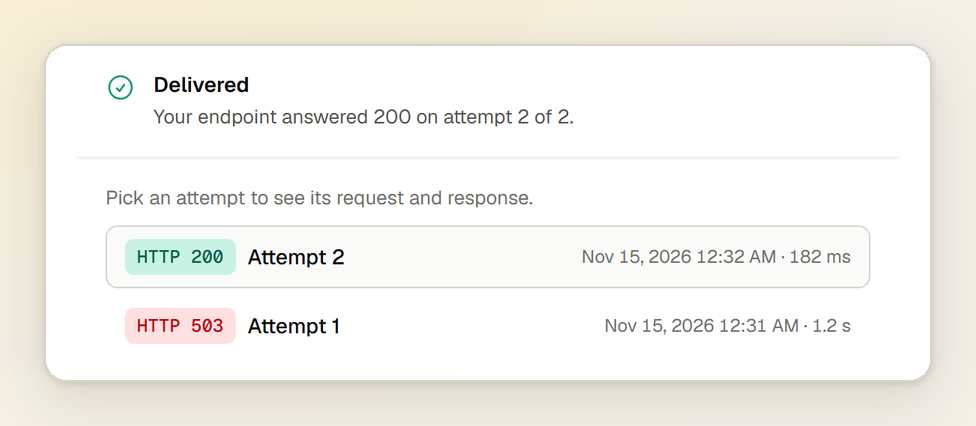
When an order does not update, the first question is whether the webhook reached your server, and what your server said back. You no longer have to guess from your own logs: every delivery now keeps everything that happened to it.
Every attempt, kept for 30 days
Open a webhook endpoint under Developers → Webhooks and pick a delivery. Beside the JSON body we sent, it lists each attempt to send it:
- the URL and headers we sent, with the signatures cut out but the timestamp they signed kept;
- the status code and headers your server answered with, and the first 2,000 characters of its answer;
- how long the answer took.
The list of deliveries narrows by status, so the failed ones are one click away.
Resend one, or every failed delivery at once
A delivery can be sent again from its page. After an outage, Resend failed sends an endpoint's failed deliveries again, up to 100 a click, oldest first and a few seconds apart, so your server catches up without being flooded.
The Events page
Developers → Events lists everything that happened to your charges and invoices in the mode you are in, filtered by type, each with how its webhooks went. An event's page shows it exactly as GET /v1/events/{id}
returns it, beside every delivery that carried it, each linking to its log.
In the API and the MCP server
GET /v1/webhook-endpoints/{id}/deliveries/{delivery id}
and the MCP tool get_webhook_delivery
return a delivery with every attempt in attempt_log
. Its body, which carries the charge or invoice, is only included for a key that may also read events. A delivery can be retried with POST /v1/webhook-endpoints/{id}/deliveries/{delivery id}/retry
.
The webhooks guide covers signatures, retries and every event we send.