Take payments without leaving your site
Open the checkout over your own page or inside it with one script, and let your page react as the payment is detected, paid or closed.
3 min read Checkout
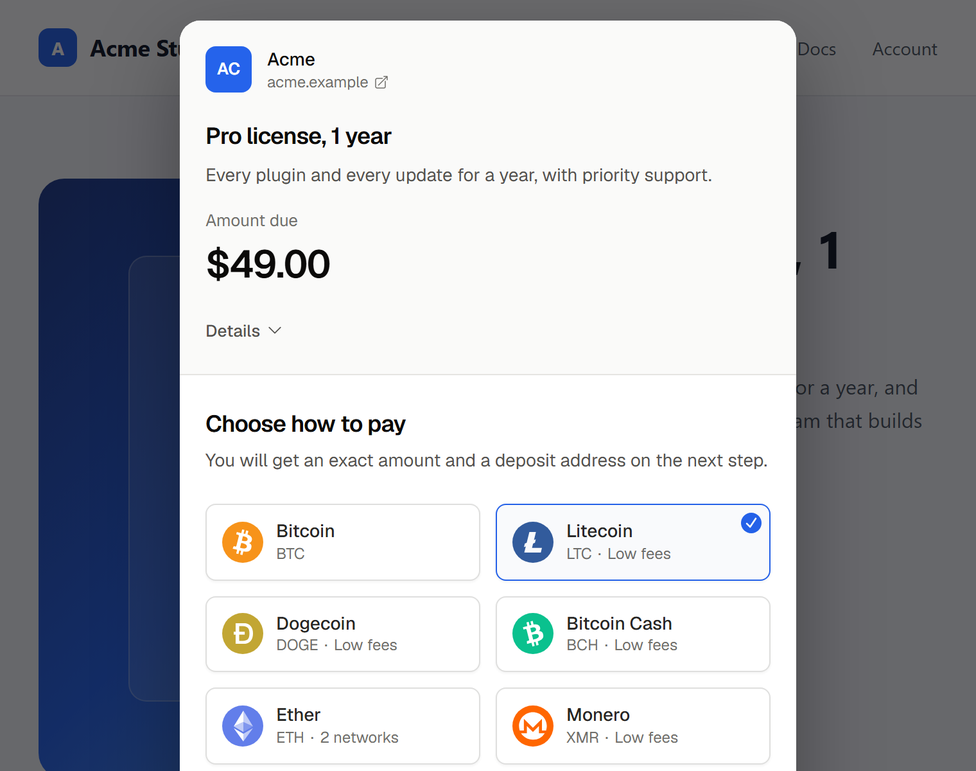
Until now, paying with VeliraPay meant leaving your site: the customer clicked a payment link and the checkout opened in a new tab. Now the same checkout can open in a window over your page, or sit inside it, and the customer never leaves your shop.
A pop-up checkout with one script
Add our script to your page and mark a link to any payment link, invoice or charge. A click opens the checkout over your page, and the customer closes it with its button or the Escape key. Where scripts are blocked, the same link still opens the checkout in a new tab, so nobody is left without a way to pay.
Copy failed. Select the code and copy it manually.
<script src="https://velirapay.com/js/checkout.js" async></script>
<a href="https://velirapay.com/pay/7hq2mvk4rx9t" data-velirapay="modal">Pay with crypto</a>
Every payment link's page in the dashboard gives you this snippet as a ready-made button in your brand colour, under Payment button.
Or inside your page
If you would rather keep the checkout in your own layout, VeliraPay.mount()
shows it in an element of your page, as tall as its content. Marking an element with data-velirapay-embed
does the same without writing any JavaScript.
Your page hears what happens
The checkout tells your page as the payment moves along: when it is ready, when a transfer is detected, when the charge is paid, underpaid, expired or canceled, and when the customer closes it. Your page can show its own message, move the buyer to the next step or reload the order.
Copy failed. Select the code and copy it manually.
// checkout_url comes from the charge your server created with POST /v1/charges.
const checkout = VeliraPay.open(order.checkoutUrl, {
    on: {
        'charge.payment_detected': () => showStatus('Payment detected, waiting for confirmations…'),
        'charge.paid': () => showStatus('Paid. Thank you!'),
        'checkout.closed': () => refreshOrderFromServer(),
    },
});
These events run in the customer's browser, which the customer controls, so use them to update the page and never to ship an order. Ship when your server receives the charge.paid
webhook, or reads the charge from the API.
You choose which sites may show it
The checkout only lets itself be framed by the page that asked for it, over HTTPS, and talks to that page alone. Until you name your own sites, any site may show your checkout. To keep the others from it, list yours under Settings → Organizations → Domains, in Sites that can show your checkout. From then on, every other site's frame is refused, while links to your checkout keep working everywhere.
What changes inside a frame
In a frame, the checkout leaves out the buttons that would open a wallet app or the WalletConnect window, since those would take the customer away from your page. The amount, the address and the QR code are all there, and a link opens the checkout in a tab of its own for anyone who prefers it.
Get started
The embedded checkout guide lists every option and event, with the Content-Security-Policy to allow if your site sends one.